

Hey buddy…do you want to publish articles like this on gbhardwaj.com?
If yes, then send your article (with images) to gauravbhardwaj@rjit.ac.in
Also, scan the QR code or click the link below to join the WhatsApp group for regular updates.
https://chat.whatsapp.com/ISKFnc0OvoM1W7bAvybWPG

Git & GitHub for Beginners: Why These Two Skills Can Transform Your Coding Journey 🚀
Today, every industry—from AI and software to robotics and research—runs on collaboration, version control, and clean code management.
Yet thousands of students begin their tech journey without understanding the most essential developer tools: Git and GitHub.
This guide will help you understand:
-
What Git actually does
-
Why GitHub is like a digital portfolio for developers
-
How professionals collaborate using commits, branches & pull requests
-
Why YOU should start using Git & GitHub from the very beginning
Whether you’re a 1st-year student, a senior working on a project, or a faculty member supervising teams—this article will give you clarity, confidence, and motivation to start using Git the right way.
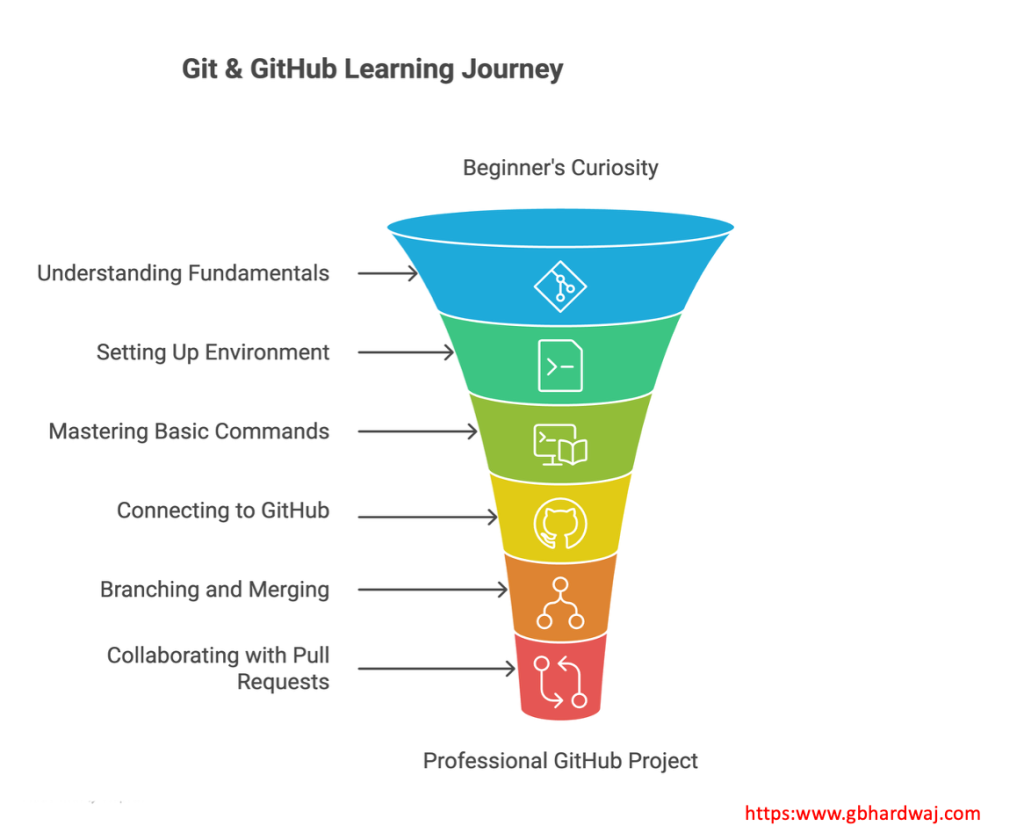
🧭 1. Why Do We Even Need Git? (The Real Problem It Solves)
Whenever we develop a project — a website, an app, or even a Python script — things evolve.
-
You add new features
-
You experiment
-
Sometimes you break things
-
Sometimes you fix them
-
Sometimes you need the older version back
Most beginners end up creating multiple confusing versions:
-
project_v1
-
project_v2
-
project_final
-
project_final_new
-
project_final_latest_FINAL
This is risky, messy, and unprofessional.
Git solves this. Completely.
Git is a Version Control System.
It works like a time machine for your code:
-
Tracks every change you make
-
Allows you to go back to any earlier version
-
Helps you understand who changed what and why
-
Eliminates fear of breaking things
Just like a bank maintains your entire transaction history,
Git maintains the entire history of your project.
This alone makes Git a skill worth learning.
🌐 2. What Is GitHub? And Why Does the Industry Love It?
Many new learners get confused:
-
Git is software installed on your computer.
-
GitHub is a website that hosts your Git repositories.
Think of GitHub as:
✔ A cloud backup for your projects
✔ A portfolio visible to recruiters
✔ A collaboration platform for teams
✔ A place for open-source contributions
If you’re applying for internships, placements, or research opportunities:
“Share your GitHub link”
is often the first thing interviewers ask.
A good GitHub profile shows:
-
You build things
-
You are consistent
-
You understand industry workflow
-
You are not afraid to experiment
GitHub is not just a website.
It’s your identity as a developer.
📁 3. Key Concepts Explained in Simple Language
Let’s break down the core words you will hear daily once you start using Git.
🔹 Repository (Repo)
A repo is simply your project folder managed by Git.
Inside it lives:
-
Your code
-
Your files
-
Complete change history
On GitHub, every repo has a name, description, and visibility (public or private).
🔹 Commit
Think of it as a screenshot of your project at a moment in time.
Each commit has:
-
A message (what changed)
-
An author (who made the change)
-
A timestamp
Small, clear commits = professional developer behaviour.
🔹 README
The first thing people see when they open your GitHub repo.
It should include:
-
What the project is
-
How to run it
-
Features
-
Screenshots / demo GIFs
A good README makes even a simple project stand out.
🔹 Branches
Branches are parallel versions of your project.
For example:
-
mainbranch → stable version -
feature-loginbranch → experimenting with login feature
Branches let you work without disturbing the main working version.
🔹 Pull Requests (PRs)
This is how developers collaborate.
A PR says:
“I have made a change. Please review and merge it.”
Teams can comment, review, discuss, and merge safely.
This workflow is used by ALL major tech companies.
💡 4. Why Students Should Learn Git & GitHub Early
Here’s how Git & GitHub can completely change your growth trajectory:
✔ You Think Like a Professional From Day 1
Companies like Microsoft, Google, and even startups run their entire development using Git workflow.
When you learn these tools early, you become industry-ready.
✔ You Remove the Fear of Experimenting
Git gives you confidence because you can always revert.
You stop hesitating.
You start trying.
And that is how REAL learning happens.
✔ You Build a Public Proof of Your Skills
Every repository you upload becomes part of your online resume.
-
Your tech stack
-
Your consistency
-
Your coding habits
-
Your willingness to learn
Everything becomes visible.
🛠️ 5. A Simple Beginner Workflow (Follow This to Get Started)
Step 1: Create a GitHub Account
Use a personal email ID. Keep your username professional.
Step 2: Create Your First Repo
Name it anything simple like first-project
Initialize it with a README.
Step 3: Install Tools
-
VS Code – coding editor
-
Git – version control software
-
Git Bash (Windows) or Terminal (Mac)
Check if Git is installed:
git --version
Step 4: Clone the Repo Locally
git clone <repo-url>
cd <repo-name>
Step 5: Make Changes → Commit → Push
git add .
git commit -m "first commit"
git push
Your project is now live on GitHub 🎉
🤝 6. Collaboration: The Real Power of Git
Once you’re comfortable with basics, Git unlocks teamwork:
-
Work on multiple features at once
-
Experiment without breaking code
-
Review each other’s work
-
Merge safely
This is EXACTLY how real companies work.
Learning this puts you years ahead of the average student.
🚀 7. Why Start Today? (The Motivation You Need)
Success in tech doesn’t come from just reading theory.
It comes from:
-
Building
-
Breaking
-
Fixing
-
Experimenting
-
Documenting
Git & GitHub make this entire journey smooth, safe, and professional.
They help you:
✨ Become confident with your code
✨ Build a portfolio that shines
✨ Collaborate like real engineers
✨ Stand out in placements & internships
And the best part?
You can start today… with just one small project.
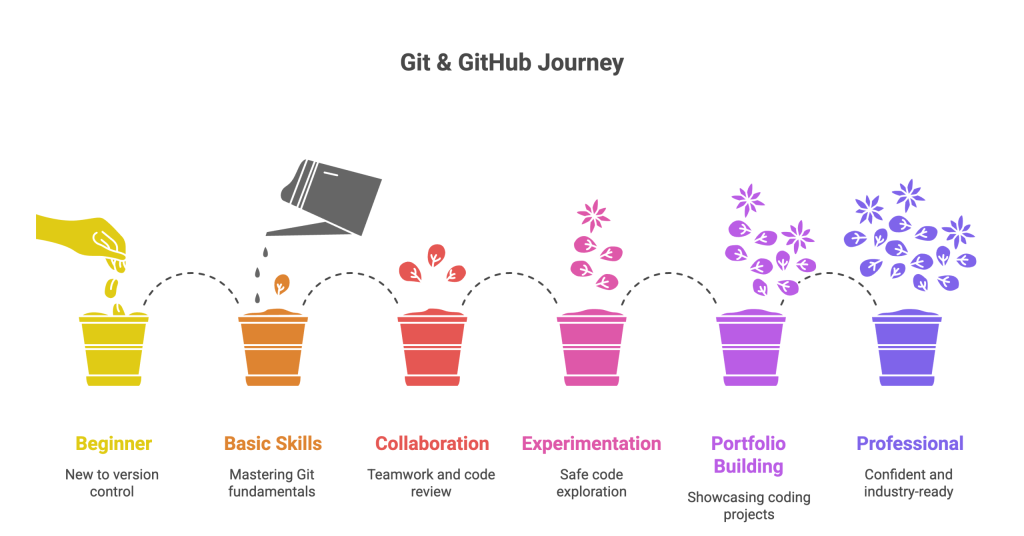
🌟 Final Words
Git & GitHub are not advanced tools reserved for experts.
They are the foundation of modern software development.
Whether you’re a beginner or a faculty member guiding juniors,
embracing these tools early will shape your professional journey in extraordinary ways.
So don’t wait.
Start your first repository today.
Your future self will thank you. 🚀💙
This article is a perfect example of the clarity and motivation you always brought to your teaching. Reading it took me back to my engineering days under your guidance—I graduated in 2019, and for the past 6.5 years I’ve been working in the Automotive Software industry. The emphasis you placed on adapting new skills has been a cornerstone of my career growth. Git and GitHub, as you’ve explained here, are not just tools but mindsets that prepare students to think and work like professionals. I truly appreciate how you continue to inspire the next generation with the same passion and vision that shaped my own journey.